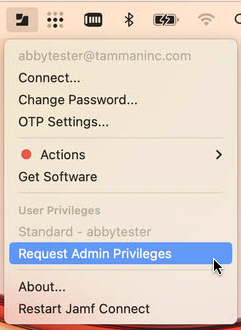
- Click the Jamf Connect icon in the menubar and select Request Admin Privileges.
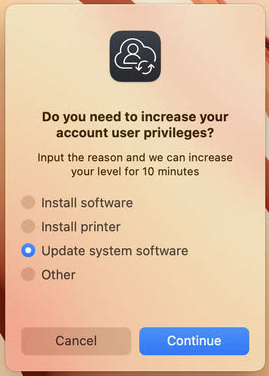
- A dialog will open and prompt you to select an option for why you need elevated privileges.
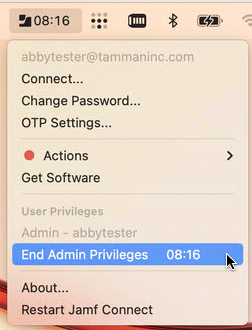
- The Jamf Connect menu will close and a timer will appear and countdown from 10 minutes.
- At the end of 10 minutes a dialog will appear and ask if you still need admin privileges. If you select Yes then you will have another 10 minutes.
- If you finish what you are doing before the 10 minutes are up then you can click the Jamf Connect icon and manually end the process.

Was this article helpful?
That’s Great!
Thank you for your feedback
Sorry! We couldn't be helpful
Thank you for your feedback
Feedback sent
We appreciate your effort and will try to fix the article